Mounting Tech by Room: Where Screens Actually Work (and Where They Don’t)

Mounting Tech by Room: Where Screens Actually Work (and Where They Don’t)
Mounting tech sounds like a weekend project until you live with it for a month. This guide helps you place screens where they earn their keep, choose mounting approaches that feel natural instead of fussy, and think about tech placement by room.
Start With Behavior, Not Hardware
Most homes don’t need more screens. They need fewer screen decisions.
If you want a mounted display to stick, place it where it solves a repeated annoyance: lights at bedtime, thermostat in the morning, checking a doorbell camera when the dog barks, starting a routine with your hands full. The best locations aren’t central on a floor plan. They’re central to how you move.
Look for pause points—places where people naturally stop for a second or two:
near the kitchen entry where groceries land
by the mudroom or garage door
in a hallway between bedrooms and living space
A screen placed at a pause point becomes a habit. A screen placed because “that wall was empty” becomes décor.
What Separates a Useful Display From a Screen on the Wall
A home automation display isn’t just about the screen. It’s about whether it reduces friction.
The setups that work share three traits:
they’re always available (reliable power, stable Wi-Fi, not constantly moved)
they’re easy to interact with (comfortable height, minimal glare, reachable touch targets)
they have a clear job (control center, quick camera check, kitchen companion, bedtime routine trigger)
The setups that fail treat the display like a gadget. It looks cool, then competes with phones already in everyone’s hands. If a mounted screen isn’t faster or easier than pulling out a phone, it fades into the background.
Smart Display Wall Mounting: What Actually Matters
A good smart display wall mount feels like part of the room, not an afterthought. Three details matter most.
Touch height matters more than symmetry. Displays meant for touch are often mounted too high because people copy TV placement. If you’re always reaching up, you’ll stop using it.
Power needs to be intentional. If the cable is visible from across the room, under tension, or frequently snagged, you’ll end up with unreliable charging and a device that’s “randomly dead.” You don’t need in-wall power immediately, but you do need a real plan: surface raceways painted to match the wall, a nearby outlet hidden behind furniture, or a code-compliant in-wall solution.
Glare will kill usage faster than bad software. Mounting opposite a bright window turns a display into a mirror. Often the fix isn’t better hardware, it’s moving the screen a foot or adjusting the angle.
Choosing a Mount Style You Won’t Hate Later
Mount choice is about use, not aesthetics.
Fixed mounts look the cleanest and feel permanent. They work best when height and glare are already solved.
Tilt mounts are underrated for touch screens. A slight angle can reduce glare and improve reach without looking mechanical.
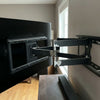
Articulating mounts solve real problems in awkward spaces, but they add bulk and invite constant repositioning, which often leads to crooked screens and strained cables.
For TVs, articulating mounts can be useful. For small displays, they’re usually overkill unless the wall location forces it.
Visit the MantelMount collection of TV Mounts
The Hidden Challenge: Consistency Across Rooms
Once you start mounting tech in more than one room, inconsistency becomes the real problem.
Different heights, different cable solutions, different rules for visible hardware can make a home feel visually busy even when everything is technically mounted. The fix is restraint.
Set standards early. Decide where screens live in each room type, how cables disappear, and where visible hardware is acceptable. When every screen follows predictable rules, the house is easier to use and easier to add to later.
Mounting Electronics Safely
Mounting electronics safely is less about weight and more about force and repetition. A small screen tapped twenty times a day still stresses anchors and wall material.
A few non-negotiables:
Prefer studs for anything that gets pushed or tapped. Drywall anchors can hold weight; they don’t always hold life.
Use hardware rated above the device weight. Ratings assume ideal conditions.
Treat kitchens and baths as harsh environments. Heat, steam, grease, and cleaners shorten device life and weaken adhesives.
Respect electrical safety. If you’re unsure about in-wall power, that’s the moment to bring in a pro.
TV Mounting by Room: Why One ‘Perfect Height’ Fails
You don’t watch TV the same way in every room, yet many homes mount every TV like it’s in a living room. That’s how people end up tolerating discomfort for years.
Living rooms prioritize seated comfort and sightlines over design symmetry. Bedrooms prioritize head and pillow angle more than visual alignment. Kitchens often involve standing or perching, so slightly higher placement can work, but extreme angles don’t.
Across all rooms, glare and viewing angle matter more than exact measurements. A perfectly measured TV that reflects a window is still wrong.
Kitchen and Bedroom Realities
Kitchens punish shortcuts. Heat, grease, steam, and cleaning chemicals all attack electronics. Avoid mounting near ranges or direct steam paths, use sturdy mounts you can press on while cleaning, and treat cables as part of the finish.
Bedrooms punish trend-driven mounting. TVs mounted too high look clean and feel awful. If furniture forces a bad height, rethink the layout. If you add a display or tablet in the bedroom, keep its job narrow: lights, thermostat, all-off routines, maybe a camera view.
Read More: Bedroom TV Ideas: How to Incorporate the TV Into Your Design
When Not to Mount More Tech
In most homes, the sweet spot is one primary home automation display at a high-traffic pause point, possibly a second in a secondary zone if the layout supports it, and TVs mounted only where you genuinely watch.
If you’re unsure, start with one location and live with it for two weeks. If the habit forms, expand. If it doesn’t, the problem is placement or purpose, not the lack of devices.
A Simple Framework That Works
If you want a home that feels smart instead of tech-heavy, follow this order: decide the job, choose the room and pause point, solve comfort and sightlines, pick the mount style, commit to a power and cable standard, and treat safety as a design constraint.
Do that, and screens across your home will feel intentional long after the novelty wears off.
.
Leave a comment
Please note, comments must be approved before they are published.