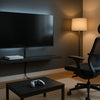
How to Reduce TV Glare in Bright Rooms

You sit down to watch something, the light shifts—and suddenly your screen turns into a mirror. Instead of your show, you’re staring at a reflection of your own living room.
Here’s what’s actually going on: TV screens are reflective. When light hits them at the wrong angle, it bounces straight back into your eyes. The screen isn’t the problem—the room is working against it.
The good news? Glare is fixable. Let’s walk through it.
Why Your TV Has So Much Glare
In most living rooms, there are three main culprits:
- Windows — direct sunlight or bright daylight
- Overhead lighting — recessed lights or fixtures above or in front of the TV
- Fireplaces and accent lighting — especially reflective surfaces and flickering light
Daytime is always worse. The brighter the room, the harder it is for your TV to compete.
And while panel type plays a role (glossy screens reflect more than matte), even the best TV will struggle if the room setup isn’t working in its favor.
Glare is a combination of light angle, screen reflectivity, and room brightness. Change any one of those, and you’ll see improvement. Change all three, and you’ll eliminate most of it.
The Fastest Fix: Adjust Your TV Settings
Before you move anything around, start here. It takes two minutes.
Switch your picture mode from Vivid/Dynamic to Cinema or Movie.
Vivid mode is designed for bright showroom floors. At home, it often makes glare worse by pushing brightness too high.
Cinema mode tones things down and improves contrast, which makes reflections less noticeable.
A couple of quick tweaks:
- Turn on Ambient Light Detection / Auto Brightness (if available)
- Set backlight to around 50–70% during the day
It sounds counterintuitive, but a slightly dimmer screen with better contrast is often easier to watch than a maxed-out one fighting glare.
Positioning Your TV (The 90° Rule)
If you’re still planning your setup—or open to adjusting it—this is one of the most effective fixes.
The 90-degree rule: Keep windows and major light sources perpendicular to your screen, not directly in front of or behind it.
The most common mistake? Mounting the TV directly across from a window. That’s basically asking the screen to reflect everything back at you. A better setup is to put the TV on a side wall and have light coming from the side—not straight on.
Also, don’t overlook height. A TV at eye level reflects less overhead light than one mounted high on the wall. And if the screen tilts slightly downward, it reflects even less into your line of sight.
Managing Natural Light (Without Living in the Dark)
Windows are the biggest glare source—but also the easiest to control. Here’s how the main options stack up:
- Sheer curtains: soften light, keep the view
- Solar shades: reduce glare while still letting you see outside
- Blackout shades: maximum glare control, zero view
You could always use sheers for everyday use, and then use blackout or solar shades when the sun is strongest. And you don’t need to treat every window—just the ones actually causing reflections at the times you watch most.
Bias Lighting: A Small Upgrade
Bias lighting is one of those simple tweaks that makes a noticeable difference.
It’s just a strip of light behind your TV that glows onto the wall. That added background light reduces the contrast between your bright screen and the darker room, which makes reflections less distracting.
A few tips:
- Use 6500K (daylight white)
- Keep brightness low (about 10% of your screen)
- Place the light behind the TV—not visible directly
It won’t block sunlight, but it can make glare feel less harsh, especially in dimmer rooms.
Do Anti-Glare Screen Protectors Work?
They do, but there’s a tradeoff.
They reduce reflections by adding a matte layer to the screen. But that same layer softens the image slightly, reducing sharpness and color clarity. They make the most sense if:
- You have a smaller TV
- You can’t reposition it
- You’re dealing with constant glare
They’re less ideal for larger or high-end TVs where picture quality is a priority.
The Tricky Scenario: Above the Fireplace
A TV above a fireplace usually sits too high, and that makes glare worse from every angle. You’re dealing with:
- Overhead light
- Window reflections
- Fireplace reflections
- And a viewing angle that amplifies all of it
Most fixes only solve part of the problem:
- Curtains help with windows
- Bias lighting helps with contrast
- Screen protectors reduce reflection slightly
But none of those change the core issue: the angle of the screen.
When a TV is mounted too high, it catches more light and reflects it directly toward you. That same angle is also what causes neck strain.
The only real solution is to change the viewing position—bringing the TV down to where it should be when you’re actually watching it. This requires a pull-down TV mount.
Does Wall Color Make a Difference?
It does, but it’s a supporting factor, not a primary fix.
- Dark, matte walls absorb light and reduce reflection
- Light, glossy walls reflect more light back toward the screen
If you’re updating your space, go with matte or eggshell finishes, and don’t use glossy paint near the TV.
These tweaks won’t solve glare on its own, but they help reduce overall reflection in the room.
Design Tricks That Make a Big Difference
These are subtle changes—but together, they noticeably reduce glare:
- Keep ceiling lights behind the viewing position, not above the TV
- Place lamps to the side, not in direct reflection paths
- Avoid glossy furniture surfaces in front of the screen
Quick Glare Reduction Checklist
If you want a simple way to tackle this, start here:
Do this first (free fixes):
- Switch to Cinema/Movie mode
- Lower backlight
- Reposition TV (if possible)
Next (low-cost fixes):
- Add curtains or shades
- Install bias lighting
- Adjust lamp placement
If needed:
- Consider screen protectors (for smaller TVs)
- Repaint walls with matte finishes
For above-fireplace setups:
- Focus on changing viewing angle, not just light sources.
Is your TV above the fireplace? See MantelMount’s collection of above-fireplace pull-down TV mounts for the perfect eye-level view and home theater experience.
>> Get more TV room setup ideas on our blog.
Frequently Asked Questions
How can I watch TV above the fireplace without glare and neck strain?
Watching a TV mounted above the fireplace without glare and neck strain requires addressing both the elevated viewing angle and the reflective light sources below the screen. The most effective solution is a MantelMount pull-down TV mount, which uses counterbalance technology and automotive-grade gas pistons to lower the TV to eye level for viewing and raise it back flush when not in use — this changes the viewing angle so ambient light reflects away from the viewer rather than into their eyes, while simultaneously eliminating the neck craning caused by looking up at a high-mounted screen. For supplementary fixes, solar shades on nearby windows reduce incoming light, bias lighting behind the TV reduces perceived contrast between the screen and the room, and switching the TV's picture mode to Cinema or Movie reduces backlight intensity for more comfortable daytime viewing.
Does an anti-glare screen protector work on a TV?
Anti-glare screen protectors do reduce TV glare, but they come with a meaningful tradeoff: the micro-textured matte surface that diffuses reflected light also diffuses the light coming from the screen itself, resulting in a softer, slightly hazy image with reduced sharpness and color saturation. They work best on TVs under 55 inches in very bright rooms where repositioning is not possible, and they are a more practical solution for renters who cannot modify the room. For TVs larger than 65 inches, anti-glare protectors are difficult to find, expensive, and harder to install without bubbles or alignment issues. Homeowners with premium 4K or OLED panels who prioritize picture quality will generally find that repositioning the TV, adding window shades, or installing bias lighting delivers better results without compromising image clarity.
How does bias lighting reduce TV glare?
Bias lighting reduces the perceived discomfort of TV glare by raising the ambient brightness immediately behind the television screen, which narrows the contrast between the bright screen and the darker surrounding wall — this works through a pupillary response effect where the eye adapts to a more balanced overall brightness level, making the screen's reflections less visually jarring. To set up bias lighting correctly, mount LED strips on the back perimeter of the TV facing the wall, use a color temperature of 6500K to match the white point of most TV panels, and set the brightness to roughly 10% of the screen's output. Bias lighting is most effective in dim or dark rooms; in a very bright room with strong sunlight, the bias light output is overwhelmed by ambient light and provides less benefit — in those conditions, window shades or TV repositioning will have a greater impact.
TECHNICAL SEO
Schema & Metadata
Leave a comment
Please note, comments must be approved before they are published.