The Best TV Setup for Renters: Clean, Flexible and Deposit-Friendly

Setting up a TV is a different ballgame for renters. You can’t drill anywhere you want, and there’s no hiding cables in walls or “patching it later.” Later is move-out day.
This is a renter-first guide to building the best TV setup—whether you’re optimizing a small living room, planning a portable home theater, or figuring out TV mounting.
The Renter Reality: Design for Flexibility
A renter-friendly setup works across three realities:
Walls vary. Stud placement, metal studs, plaster, and fragile drywall can make “centered” mounting harder than it looks.
Layouts change. Renters tend to rearrange more because the space isn’t built around big, staple pieces of furniture.
You’ll move again. If your system depends on one wall, one anchor pattern, and complex wiring, it’s not renter-friendly—it’s room-dependent.
The goal isn’t compromise. It’s portability, clean lines, and a setup that looks intentional.
The Default Recommendation That Works in Most Rentals
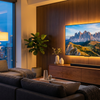
If you want one answer that wins in most apartments — a solid TV stand, a soundbar, and removable cable management.
Why this combination works:
Low deposit risk: You won’t damage a wall.
Daily quality-of-life gains: You can get comfortable height and a clean look.
Easy moving: Unplug, pack, go—no patching, sanding, or paint matching.-
A good stand also hides the small chaos (power strip, streaming box, router) that makes a space look cluttered.
Related Reading: How to Incorporate the TV Into Your Bedroom Design
Apartment TV Setup Fundamentals
1. Put the TV Where Viewing Feels Natural
In most rooms, the best spot is the wall your seating faces naturally. Apartments often fight you with windows, doorways, radiators, or awkward corners. Choose comfort over perfection. A slightly off-center TV you can watch easily beats a centered TV that forces everyone sideways.
2. Don’t Mount Too High “Because It Looks Upgraded”
High mounting is the fastest way to make a living room feel like a waiting area. A practical check: when seated, the screen should feel in front of you—not above you. If you’re tilting your head back during normal viewing, it’s too high.
3. Treat Cable Management as Part of the Design
Exposed wires read as temporary, and rentals already feel temporary. You don’t need in-wall wiring. You need a plan: a consistent route, hidden slack, and a “power zone” that doesn’t look improvised.
Small Apartment TV Setup: Make the Room Feel Intentional
In small rooms, the gear isn’t usually the problem—the furniture scale is.
A common mistake is a shallow console that can’t hide anything. Add a streamer, game console, router, and suddenly you’ve built a cable sculpture. In most apartments, look for a stand that offers:
enough width to visually “hold” the TV
closed storage to hide clutter
ventilation for devices
If the TV looks top-heavy over a tiny sideboard, the whole setup feels accidental. A slightly wider console often makes the room look more expensive.
Portable Home Theater: The Renter Advantage
Renters can actually build better systems because you’re forced to stay modular. A portable home theater isn’t cheap or temporary—it’s designed around:
simple connections
easy packing
minimal wall dependence
components that scale to your next place
A solid portable setup looks like:
TV on a quality stand
soundbar (or compact 2.0/2.1 speakers)
one streaming device + one clean HDMI path
a single surge protector powering the zone
removable cable routing
If you do just one upgrade, do this: get the sound off the TV. Clear dialogue often feels like a bigger improvement than a slightly better picture.
TV Stand vs Wall Mount for Renters
The Default: Choose a Stand
For most rentals, a stand is the safest baseline. It’s forgiving: you can shift it, rotate slightly, and adapt to uneven rooms.
Wall mounting can look great, but it’s less forgiving:
a small alignment mistake becomes permanent
bad wall conditions create anxiety
move-out adds patching and paint risk
When Wall Mounting Is Worth It
Mounting can make sense when:
floor space is truly tight
the layout forces an off-furniture placement
you’re willing to patch properly at move-out
you can mount into proper structure (studs/blocking)
Visit our Collection of Pull-Down TV Mounts
The Big Mounting Mistake
Don’t believe the “temporary mount” marketing without thinking about wall type and load. Many apartments have drywall that doesn’t tolerate stress. If you mount without proper support, you’re risking the TV—and wall damage that’s no longer cosmetic.
TV Mounting Without Damage: What’s Realistic
Here’s the honest version: most secure mounting creates some damage. The question is whether it’s minimal and repairable (small holes) or messy (torn drywall paper, ripped paint).
“No-Drill” Solutions: Proceed With Caution
Adhesives vary wildly depending on paint quality, texture, humidity, and heat. They can fail over time, and removal can peel paint—sometimes worse than small anchor holes.
The Renter-Safe Mindset
If you mount:
confirm wall type (drywall, plaster, concrete, metal studs)
use the right hardware
accept patching as part of the deal—then do it cleanly
Also: the bigger and heavier the TV, the less “temporary” any mount becomes.
Audio for Renters: Better Sound Without Being “That Neighbor”
A home-theater vibe is mostly audio, but apartments add shared walls and unpredictable floors. For most renters, a soundbar is the sweet spot:
clearer dialogue
simple placement
fewer cables
easy to move
Subwoofers can be great—and can also travel through walls. If you want impact without neighbor war, keep the levels conservative and place them thoughtfully (small shifts can reduce booming).
Cable Management in Apartments: The Biggest Visual Upgrade
The goal isn’t to make cables disappear. It’s to make them look planned.
What works well without drilling:
adhesive cable raceways (paintable)
hiding the power strip inside the stand if possible
shorter cables to avoid visible coils
routing along corners/baseboards
What to avoid in rentals:
power cords under rugs
cheap adhesives on questionable paint
dangling cables centered on the wall
If you do nothing else, hide the power strip and control slack. Most messy setups are “extra cable” problems.
Pulling It Together: A Setup That Survives Moving Day
A renter-friendly setup should do three things: look clean, sound good, and leave gracefully. You’ll thank us come moving day.
Get more ideas for renters on the .
Leave a comment
Please note, comments must be approved before they are published.